Quick Links
Suicide Squad: Kill the Justice League, much like all looter-shooters, is best experienced when partied up with a group of friends. The conversation and laughs you have along the way heighten the excitement around key story moments, and can make instances of grinding more bearable. Playing with another person also means your squad will be built correctly, as they’ll constantly be adjusting their characters' loadout.
Of course, your friends aren’t always going to be available. Life gets in the way, and we all have responsibilities we need to take care of. However, Suicide Squad has a solution to this problem in the form of Social Squad, letting friends stick together even if you aren’t all online.
What Is Social Squad?
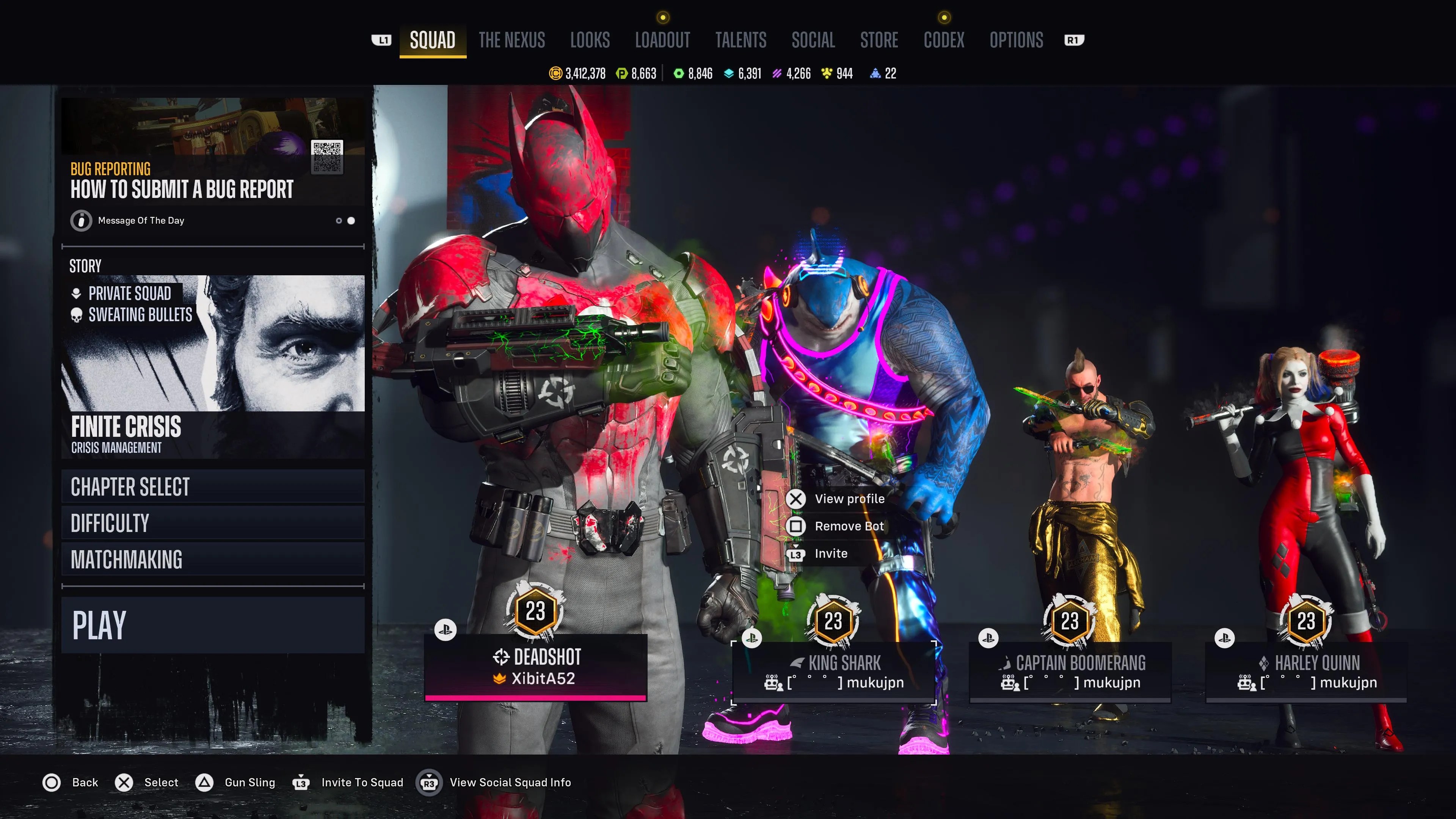
Social Squad allows you to play with otherseven if you aren’t in the game at the same time. You canrecruit members of your friends' Task Force X to your party as bots, letting you benefit from their loadouts and gear.You can also recruit bots from the leaderboards, giving you access to some of the most optimized character builds in the community.
If you’re in a clan,your squad will autopopulate with bots from fellow clan members, unless you explicitly turn that feature off.

The bots you use willretain the skins, loadouts, and talentsassigned to them by their owners, anddo not level up or earn loot. If a member of your team is used in someone’s social squad,you will receive gear and resources from their play time. However, these rewardsneed to be claimed within seven days.
How To Use Social Squad
In order to add these bots to your squad,you need to go to the Social menu. From here, you canselect either your friends list or the global leaderboards. Once you decide on a person who you’d like to recruit from,click the Right Stick to view their full player profile.
With access to their full profile, you can inspect each member of their team, includingtheir loadout, talents, and stats. Adding a bot to your squad isas simple as selecting “Add Bot to Squad”. Navigating back to the Squad menu, you’ll see that they have been added to your party.
Somewhat obnoxiously,you cannot create a social squad while in the game. You need to back out bygoing to the Squad menu and selecting “Quit Session”. Only then can you recruit bots to your team in the Social tab.
